How to Get Backlinks Indexed: A Practical Guide for Founders Using SpeedyIndex
A backlink only counts once Google has indexed the page it sits on. Launch directories, guest posts, review sites and partner pages all create links, but many of those pages are crawled late or not at all. Until that changes, the link exists for visitors and does nothing for search.
This guide covers how to check which of your backlinks are indexed, the free ways to nudge them along, and when a paid indexer like SpeedyIndex is worth using. The examples come from the most common founder situation: a batch of new directory and launch-platform listings from a launch week.
Why backlinks don't get indexed
Google doesn't index every page it discovers. A listing on a large directory can sit deep in the site, several clicks from the homepage, with little to separate it from thousands of similar pages. Google may crawl it and decide not to index it, or not crawl it for weeks.
SpeedyIndex's own backlink audit guide puts the consequence plainly: an unindexed page isn't part of Google's link graph, so a link on it can't pass authority. It may still send referral visitors. It won't help rankings.
Common reasons a page carrying your link stays out of the index:
- Low internal linking on the host site. Deep listing and profile pages get crawled less often.
- Thin or near-duplicate content. Directory pages that repeat the same template are easy for Google to skip.
- Technical blockers. A
noindextag, a soft 404, a redirect chain or a server error on the host page. - Crawl budget on the host domain. Big sites publish faster than Google recrawls them.
The last two are worth checking before you spend anything, because no indexing tool can fix a page that tells Google not to index it.
Step 1: Check which backlinks are indexed
Start with a list of the pages that link to you, not the domains. The homepage of a directory is almost always indexed. Your listing page three levels down is the one at risk.
There are three ways to check, and they suit different volumes:
| Method | How it works | Best for |
|---|---|---|
site: search | Search site: followed by the exact URL in Google | Spot-checking a handful of URLs |
| Google Search Console URL Inspection | Inspect the URL inside GSC | Pages on sites you own only |
| Bulk index checker | Upload a list and get indexed / not indexed per URL | Dozens to thousands of backlinks |
The catch with Search Console is that it only works on properties you've verified. You can't inspect a listing on someone else's directory. For backlinks, that leaves site: searches for a few URLs or a bulk checker for the rest. SpeedyIndex has a free Google Index Checker and also checks Bing and Yandex.
Clean the list before you check it: remove duplicates and homepage URLs, and keep the deep pages where your link actually sits.
Step 2: Fix what's blocking the page
For every "not indexed" result, open the page and look for the obvious problems first:
- Does the page load, and is your link still on it?
- Is there a
noindexmeta tag or header? SpeedyIndex has a free noindex checker. - Does it return a 404, a soft 404 or a 5xx error? There are free checkers for 404s and 5xx errors.
- Does it redirect through several hops before landing?
If the host page has a technical problem, the fix belongs to whoever runs that site. Contact them. Submitting a blocked URL to any indexer just wastes time.
Step 3: Use the free options for pages you own
For pages on your own domain (new landing pages, docs, blog posts), you have direct levers:
- URL Inspection → Request Indexing in Google Search Console. It's the highest-priority signal, but it has a daily quota, so save it for important pages.
- Accurate sitemaps. Keep your XML sitemap current and update the
lastmoddate only when the page content changes. Google's old sitemap ping endpoint was retired in 2023, so pinging no longer does anything. - Internal links. Link to the new page from pages Google already crawls often.
SpeedyIndex's manual reindexing guide walks through each of these. None of them help with backlinks on other people's sites, which is where most founders get stuck.
Step 4: Use an indexer for backlinks on sites you don't control
This is the gap SpeedyIndex is built for. You upload the URLs of pages that link to you, and the service sends the real mobile Googlebot to crawl each one. No Search Console access or site verification is needed, so it works on directory listings, guest posts and review pages you don't own.
The workflow:
- Upload a list. Paste URLs or upload a .txt file, one URL per line, up to 100,000 per file.
- Pre-check runs first. URLs returning 404 or 403, or carrying
noindex, are skipped, as are pages already in the index. - Googlebot visits each URL. The task starts immediately, and first indexed results usually appear within 48–72 hours.
- Day-7 report. Every URL is marked Indexed or Not indexed.
SpeedyIndex guarantees the crawl, not the index. Google still decides whether to keep a page based on its quality. That's why the pricing is built around the outcome.
What it costs
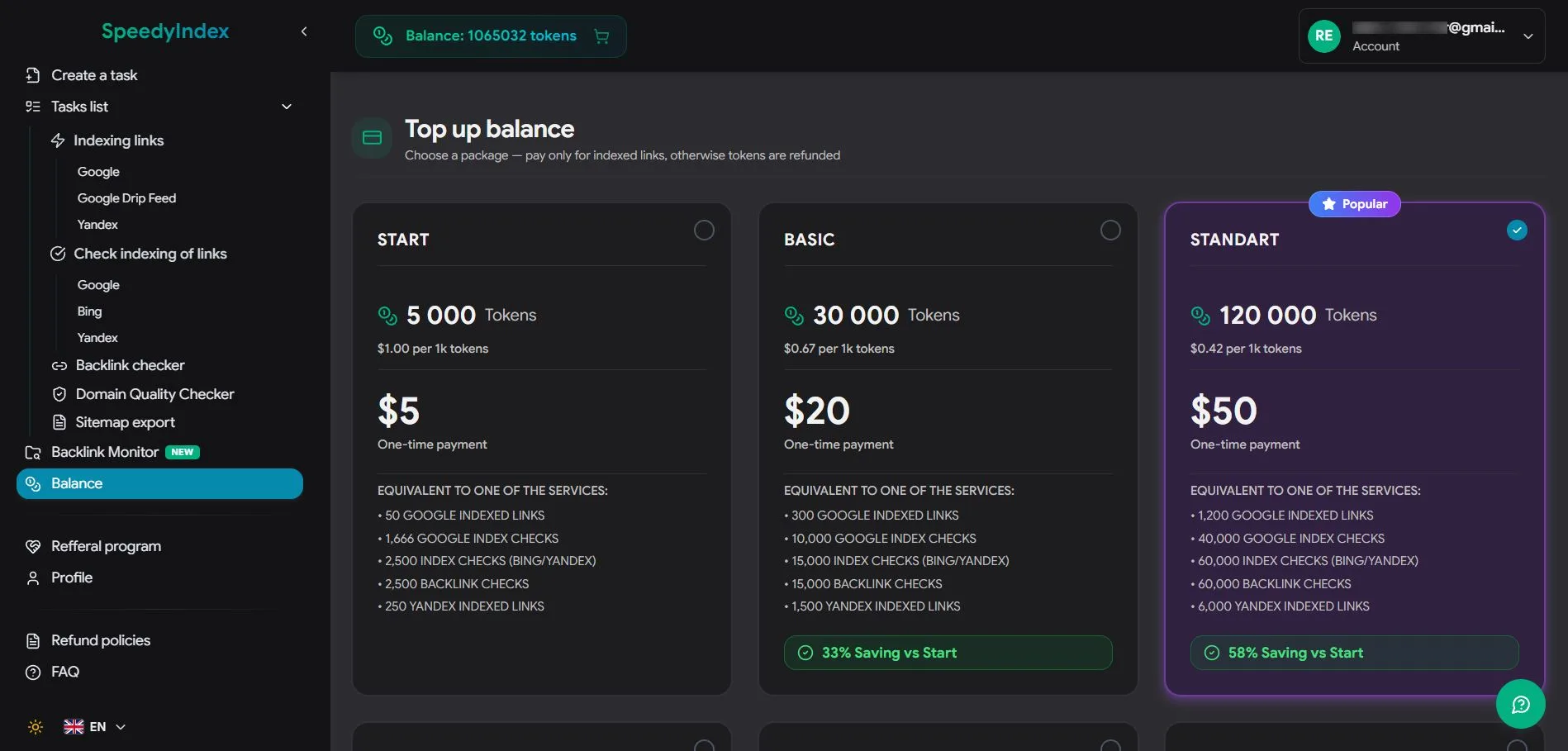
SpeedyIndex runs on tokens, and on its pay-per-result plan one indexed link costs 100 tokens. Tokens for any link that isn't indexed by the day-7 report go back to your balance automatically, with no refund request needed.
- Free start: 100 tokens at signup, no credit card.
- Packages: one-time token packages start at $5 for 5,000 tokens (50 indexed Google links). Larger packages lower the per-token price; the $50 package gives 120,000 tokens.
- Tokens don't expire.
- Payment: card, PayPal, or crypto (USDT, BTC, ETH, LTC).
The same tokens also pay for index checks and backlink checks.
Drip-Feed for new domains
Submitting a large batch of links on one day can look like an unnatural spike, especially for a young domain. Drip-Feed mode spreads a batch over several days instead. SpeedyIndex suggests roughly 5–15 URLs a day for new sites, 20–50 for medium-authority sites and 50–150 for high-authority sites. It's available on the pay-per-result plan.
For developers
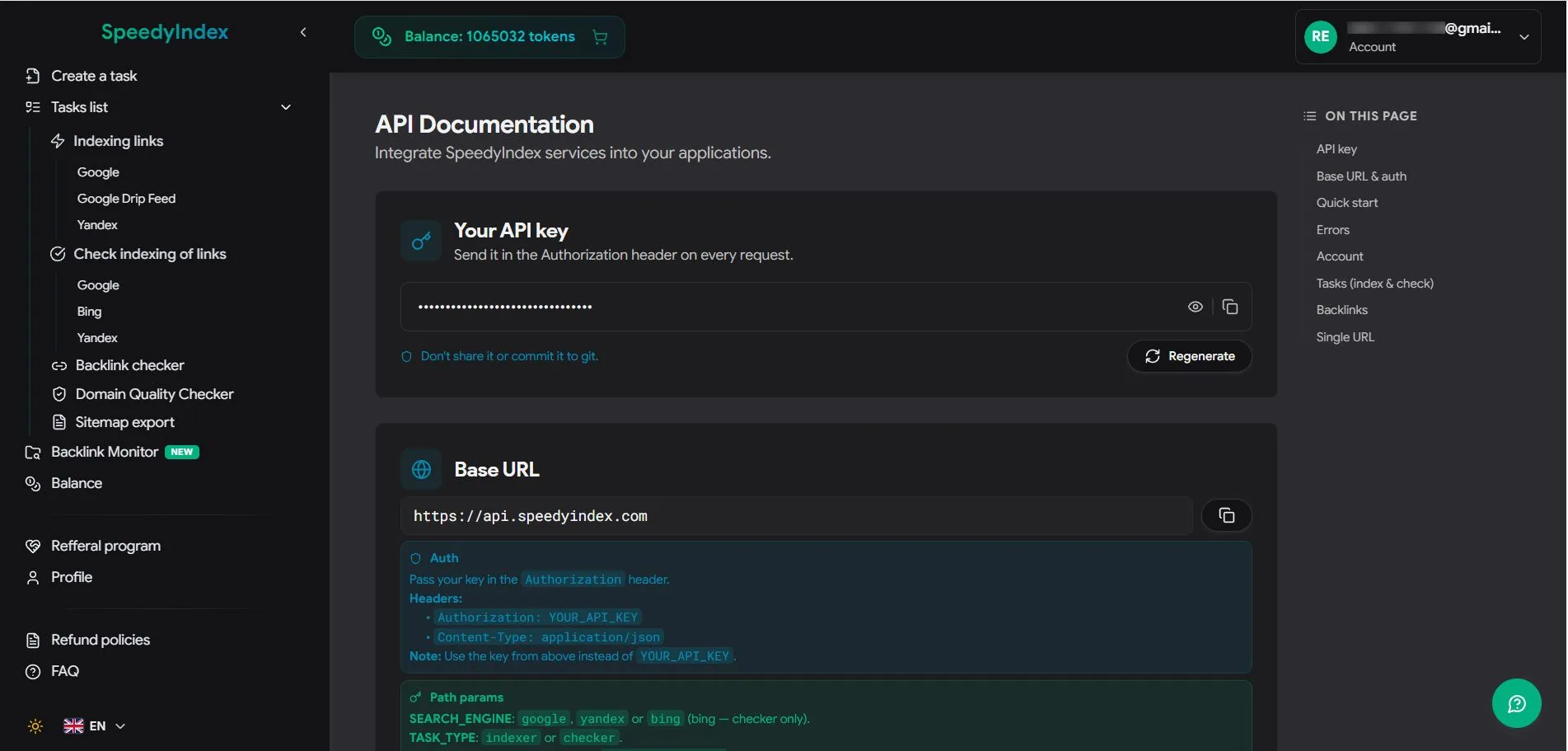
A REST API (v2) covers indexing and index checks, so you can push new URLs from your own pipeline. There's also a Chrome extension and a Telegram bot.
A launch-week example
Say you launched this week and picked up 40 listings across directories and launch platforms. A workable order:
- Wait about a week after the listings go live, then bulk-check all 40 listing URLs.
- Fix or report anything that's broken, or tagged
noindex. - Submit the remaining unindexed URLs to SpeedyIndex, using Drip-Feed if your domain is new.
- Re-check after the day-7 report. Anything still unindexed gets its tokens refunded; decide whether that listing is worth chasing.
The ShipBoost startup directories list is a good source for those listings, and the launch guide covers what to prepare before launch day.
Who SpeedyIndex suits
- Bootstrapped founders indexing launch, directory and review-site backlinks.
- Link builders and SEO agencies checking whether guest posts and paid placements are actually counted.
- Content and e-commerce teams publishing many pages at once.
- Developers who want indexing as a step in a deploy pipeline.
If you only have a few backlinks a month and a patient timeline, the free methods above may be enough. Once you're tracking dozens of links on sites you don't control, a bulk checker and pay-per-result indexing become worth the money.
FAQ
How long does it take for backlinks to get indexed? Naturally, anywhere from days to weeks, and some never are. With SpeedyIndex, first results usually appear within 48–72 hours and the final report arrives on day 7.
Can I get a backlink indexed without Search Console? Yes. Search Console only covers sites you own. An indexer like SpeedyIndex works on any public URL without verification.
What happens if my links don't get indexed?
On the pay-per-result plan, tokens for every link not indexed by day 7 are returned to your balance automatically. URLs that were unreachable (404, 403, robots.txt blocks, noindex) aren't refunded, which is why the pre-check matters.
Is paying for indexing safe? SpeedyIndex's method is getting Googlebot to crawl the page. It doesn't create links or use link networks. Whether the page then stays indexed is Google's decision.
Does an unindexed backlink still have any value? It can still send referral visitors. It won't pass ranking signals until the page is indexed.
Try it
Start with 100 free tokens on SpeedyIndex, or see the SpeedyIndex listing on ShipBoost. For more SEO tools, browse SEO tools for small business and rank tracking software.