
Pocket Invoice
Free invoicing on Web, iOS and Android, plus MCP
Your invoice software shouldn't be another bill.
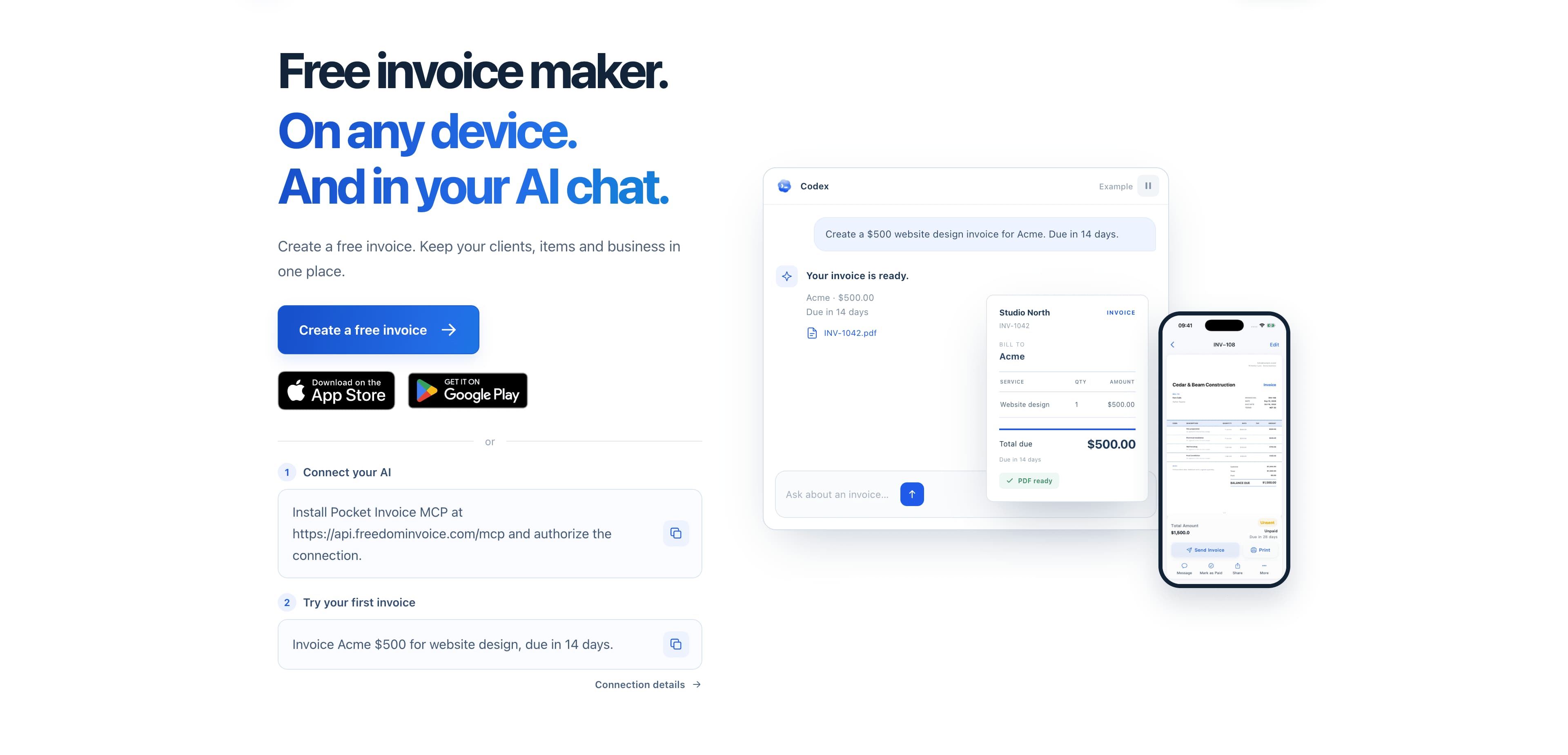
I built Free Pocket Invoice for freelancers and small businesses who need to get their paperwork done without adding another subscription to their expenses. Create invoices and estimates, keep client and item details organized, and export professional PDFs. Use it on the Web, iOS or Android, or connect an AI assistant through our free hosted MCP service. All of it is free. There is no paid tier or subscription.
# What does a familiar invoicing subscription cost?
FreshBooks lists standard monthly prices of $23 for Lite, $43 for Plus and $70 for Premium. Billdu advertises annual plans at the equivalent of $4.99 to $19.99 per month, paid annually. Prices were checked on October 12, 2026. Introductory offers can reduce the cost: FreshBooks currently advertises Lite at $1/month for the first year, for example. Always compare the plan, billing period and renewal terms rather than the largest discount on the page.
Those products serve a wider range of business needs. A subscription can make sense when you use its accounting, payment or team features. But if your daily routine is preparing an estimate, issuing an invoice and keeping track of the paperwork, ask whether you need to keep paying for that routine every month. Familiar branding doesn't automatically make a product the right value for your business.
The core job of invoicing is straightforward: describe the work, calculate the amounts, make the document look professional and keep the records accessible. Reliable software still takes care to build and maintain. I've chosen to make that everyday workflow available for free, instead of treating basic invoicing as a reason to sell you another monthly plan.
The tools you actually reach for
Pocket Invoice covers the practical work around an invoice:
- Create invoices and estimates for your services or products.
- Save client and item details so you can reuse them.
- Make branded PDFs with your business details, logo and templates.
- Create invoices without a monthly invoice cap.
- Manage multiple companies from one account.
- Keep expenses alongside your business records.
- Review revenue, outstanding amounts and client totals in your dashboard.
- Use free business calculators for billable hours, job costs and margins.
For a consultant, that might mean turning an agreed scope into an estimate and then a clear invoice. For a contractor, it might mean preparing a document from a phone after a job. For a small studio, it might mean reusing client details and keeping outstanding invoices easy to find. You shouldn't have to outgrow a spreadsheet only to inherit a subscription you barely use.
Web, mobile and a quick first invoice
Open the public browser invoice generator, enter your business and customer details, add the items and payment terms, then review and download your PDF. That guest workflow does not require registration. It is a simple way to try the product with an actual invoice before deciding whether an account is useful to you.
For ongoing work, sign in to keep documents, clients and items in an account. The Web app fits desk work, while the iOS and Android apps let you create and manage invoices from your phone. The mobile apps are free too. You can choose the interface that suits the job rather than choosing a subscription tier to unlock it.
Already working with an AI assistant?
Pocket Invoice also has a free hosted MCP service. Authorize your account and a compatible assistant can work with invoices, estimates, clients and PDF documents. You can describe the invoice you need in a conversation and review the result. Each document send requires your confirmation, so connecting an assistant does not give it permission to send documents silently. Third-party AI clients may charge their own fees; Pocket Invoice's MCP service is free.
A product you can help shape
If something about your workflow doesn't fit, tell me. I welcome requests for useful features and can discuss custom functionality for the way your business works. A clearer document layout, a missing field or a repetitive step is worth hearing about. We respond promptly, ask practical questions and take feedback seriously.
I want the relationship to be simple: you explain what you need, and we talk about what would help. There is no premium support tier to buy before your feedback matters. A request is a conversation, not a promise that every feature will be built, but you can expect a direct answer.
Before renewing an invoicing subscription, try making your next invoice with Pocket Invoice. See whether it covers the work you actually do. If it does, keep that money in your business.
Start at https://www.freedominvoice.com/
Buyer Guides
Where Pocket Invoice fits in current buying guides
These pages narrow the broader category down into specific comparison jobs and help you evaluate buyer fit more directly.
Best Invoicing Software for Small Business
Compare invoicing software for small business, including FreshBooks, QuickBooks, Xero, Wave, Zoho Books, Sage Accounting, and Melio.
Best Invoice Software for Freelancers
Compare invoice software for freelancers, including FreshBooks, Wave, QuickBooks, Xero, Zoho Books, Melio, and Sage Accounting.
Explore
More paths around Pocket Invoice
Use Finance, tag, and alternatives pages when you want a broader comparison set around Pocket Invoice.