Must-Have WordPress Plugins: What Every Site Needs, and What Depends on Your Site Type
Most "must-have WordPress plugins" lists give every reader the same 20 to 50 plugins, whether they run a blog, a restaurant site or an online store. The useful answer is shorter. A few plugin jobs show up on nearly every WordPress site, and the rest depend on what the site is for.
This guide uses the recommendations behind Find Right Plugin, a free WordPress plugin finder built by solo founder Shripad Nanivadekar. Its Plugin Stack Suggester sorts plugins into three groups for each type of website: core, worth considering as you grow, and probably not needed. Counting across the 15 website types it covers gives a clear picture of which plugins are actually must-haves.
The plugin jobs nearly every site needs
Here is how often each plugin job is marked "core" across the Stack Suggester's 15 website types, from business sites and blogs to hotels, restaurants and real estate portals.
| Plugin job | Core on | Examples Find Right Plugin covers |
|---|---|---|
| Security | 15 of 15 site types | Wordfence, Sucuri, All In One WP Security, Jetpack Protect |
| Backup | 15 of 15 | UpdraftPlus, Duplicator, WPvivid, BackWPup |
| SEO | 14 of 15 | Yoast SEO, Rank Math, All in One SEO, SEOPress |
| Analytics | 14 of 15 | Site Kit by Google, MonsterInsights, Independent Analytics, Burst Statistics |
| Forms | 9 of 15 | Contact Form 7, WPForms, Gravity Forms, Fluent Forms |
| Speed and caching | 5 of 15 | WP Rocket, LiteSpeed Cache, WP Super Cache, WP Fastest Cache |
| Email list growth | 2 of 15 | OptinMonster, Popup Maker, MC4WP |
| GDPR and cookie consent | 2 of 15 | CookieYes, Complianz, WPLP Compliance Platform |
So the short list is security, backup, SEO and analytics. Those four are core on almost every site type. The two exceptions are membership communities, where SEO drops to optional, and portfolios, where analytics drops to optional. A contact or lead form comes next, because most sites need some way for a visitor to get in touch.
Speed is the surprise. A caching plugin is core for business sites, online stores, blogs, agencies and news sites, and only optional for the other ten types. If you do add one, Find Right Plugin's WP Rocket vs LiteSpeed Cache comparison says the right choice depends on one detail about your hosting.
What changes by site type
The core list grows or shrinks once you say what the site is for. These are the Stack Suggester's picks for six common site types.
| Site type | Adds to the core list | Probably not needed |
|---|---|---|
| Business website | Forms, speed | Membership plugin, unless you gate client resources. Ecommerce, unless you sell products directly; a request-a-quote form usually covers service businesses |
| Online store | Ecommerce, forms, speed, email list growth | Membership plugin, unless you sell subscriptions or gated content |
| Blog or content site | Speed, email list growth | Ecommerce, unless you sell merch or downloads. Membership, unless you want a paywall |
| Portfolio or personal site | Photo galleries, page builder | Ecommerce; a contact-for-pricing form usually works better for one-off client work. Email capture, unless you're building a list of prospects |
| Booking or appointments | Booking, forms | Ecommerce, because the booking plugin already takes payment |
| Restaurant | Restaurant menu and ordering | A separate booking plugin, because the menu plugin usually handles table reservations. Ecommerce, because the restaurant plugin handles checkout |
The "probably not needed" column is the part most plugin lists leave out. Every plugin you skip is one less thing to maintain or to conflict with your theme.
Free or paid: where the free version is enough
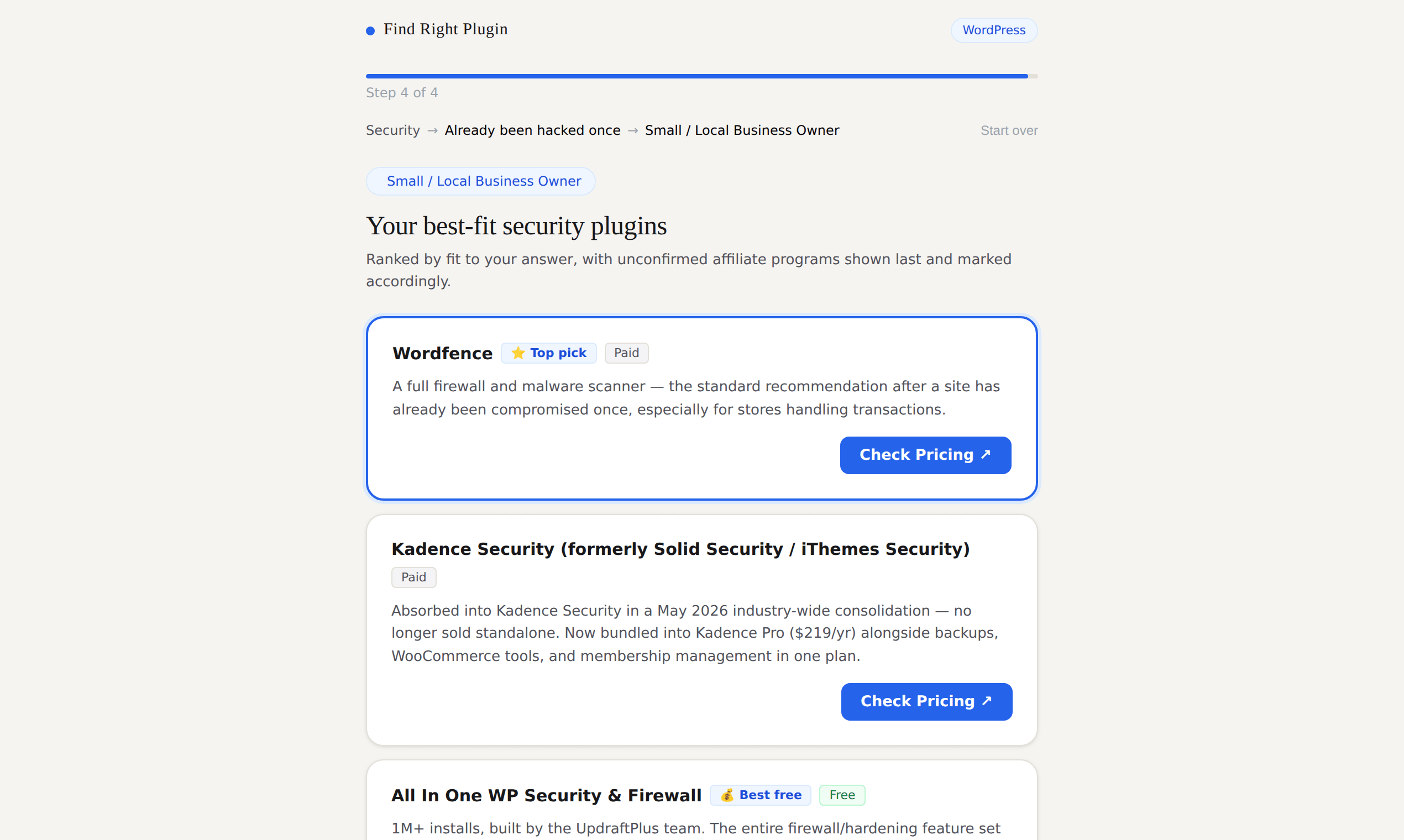
You can cover the core four without paying. Find Right Plugin's Best Free Plugins pages compare free picks for SEO, caching, analytics and page building, using install counts, ratings and update dates from WordPress.org.
A few notes from its guides:
- Security. The free tier of Wordfence is a real improvement over running no security plugin at all.
- Backup. UpdraftPlus's free tier covers a working backup-and-restore loop for a small business site. Set it up on day one, not after something breaks.
- SEO. Yoast SEO is a capable free option if you'd rather not pay for an SEO plugin yet.
- Analytics. Site Kit by Google is a free alternative to MonsterInsights, with a slightly less guided setup.
- Forms. Contact Form 7 covers a basic contact form for free.
Their rule of thumb: pay when the free tier deliberately leaves out the specific thing you need, such as an integration, a higher usage cap or priority support. If you can't say what the paid tier adds for you, you probably don't need it yet. Their free vs premium guide goes into the hidden costs on both sides.
Check a plugin before you install it
A must-have category doesn't make every plugin in it a good choice. Find Right Plugin's guide to choosing a plugin suggests a five-minute check:
- Read four numbers together: rating, number of reviews, active installs and last update. A 5-star plugin with 40 reviews tells you less than a 4.6-star plugin with 4,000.
- Check "tested up to". If it's one or two major WordPress versions behind yours, nobody has confirmed it still works.
- Skim the support forum. A forum full of unanswered threads from recent months is a clear warning sign.
- Check whether the free tier covers your one job.
- Look for overlap. Your SEO or security plugin may already do what the new plugin promises.
Where Find Right Plugin fits
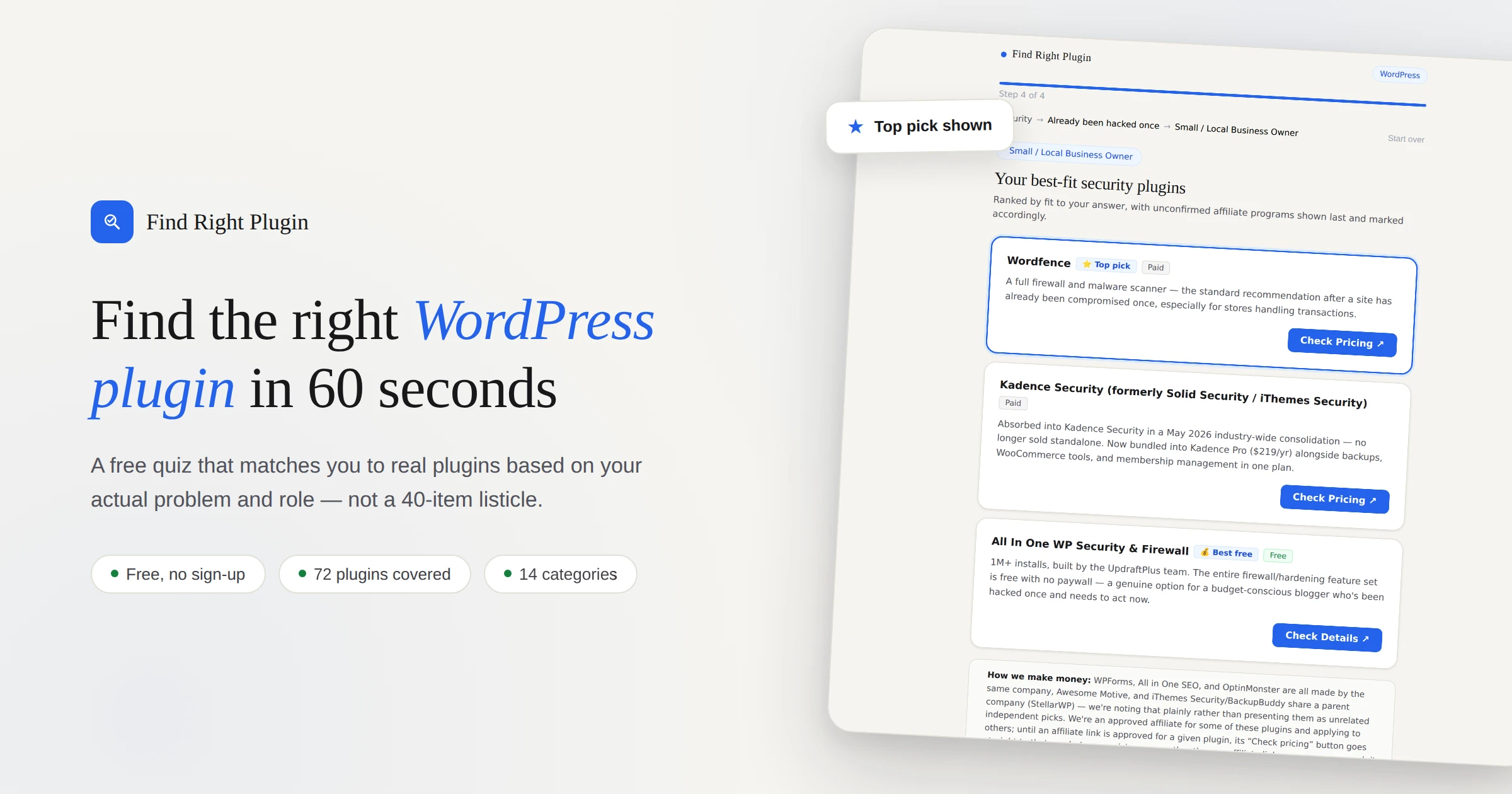
There are more than 60,000 plugins in the WordPress.org directory, which makes them hard to choose from even when you know the category. Find Right Plugin starts from your problem instead of a keyword. The plugin finder quiz asks three questions (what you want to get done, the specific problem, and your role, such as blogger, agency or store owner) and returns three picks with a reason for each.
- Free and paid side by side, including plugins sold only by the vendor, such as MemberPress, WP Rocket and Divi.
- 16 WordPress categories, from forms, SEO and security to memberships, booking, multilingual sites and WooCommerce add-ons.
- Renames flagged. Kadence Memberships was Restrict Content Pro; Kadence Backups was Solid Backups.
- Plugin health from WordPress.org, with the date the figures were checked, and prices taken from vendor pricing pages.
- Sourced caveats. Every downside links to where it was found. If one can't be sourced, the card says so.
- Disclosure up front. Quiz results, reviews and comparisons are written by AI from public sources and are not tested hands-on. Affiliate links carry an "Affiliate link" tag, and free plugins are recommended where they fit better.
It's free, with no sign-up. There are also plugin reviews, head-to-head comparisons and a Niche Plugins directory for narrow jobs such as helpdesks and job boards.
"I built Find Right Plugin because choosing a plugin shouldn't mean reading ten 'best of' lists that all say different things. It's a free tool I built with AI, and I'd rather be upfront about that than pretend otherwise." — Shripad Nanivadekar, founder
Who it's not for: if you already know which plugin you want, WordPress.org search is the quicker route, and Find Right Plugin says so itself. It also doesn't cover every plugin; it covers a vetted set per category.
FAQ
What plugins does a new WordPress site need first? Security and backup, then SEO and analytics. In Find Right Plugin's Stack Suggester, security and backup are core for all 15 site types, and SEO and analytics for 14 of them. Add a contact form if visitors need to reach you.
How many WordPress plugins is too many? There's no fixed number. A well-built, maintained plugin costs far less than a poorly built one. The better test is whether each plugin is still doing a job nothing else on the site does.
Do I need a caching plugin? For business sites, online stores, blogs, agency sites and news sites, the Stack Suggester treats one as core. For other site types it's optional, and the right choice depends on your host.
Are free WordPress plugins good enough? Often, yes. Free options exist for every core job. Pay when the free version leaves out a specific feature you need.
Is Find Right Plugin free? Yes. The quiz, Stack Suggester, reviews and comparisons are free with no sign-up. The site earns money from labelled affiliate links.
Try it
Take the 60-second plugin quiz or build a plugin stack for your site type. You can also view the Find Right Plugin listing on ShipBoost, browse more WordPress tools, or compare website builders and CMS platforms.