Open Source Dictation Software: How Local Speech-to-Text Works, and What Whisperstream Does With It
Most dictation apps send your voice to a cloud server, turn it into text there and send the text back. That works, but your audio leaves your computer every time you speak, and most of those apps are subscriptions.
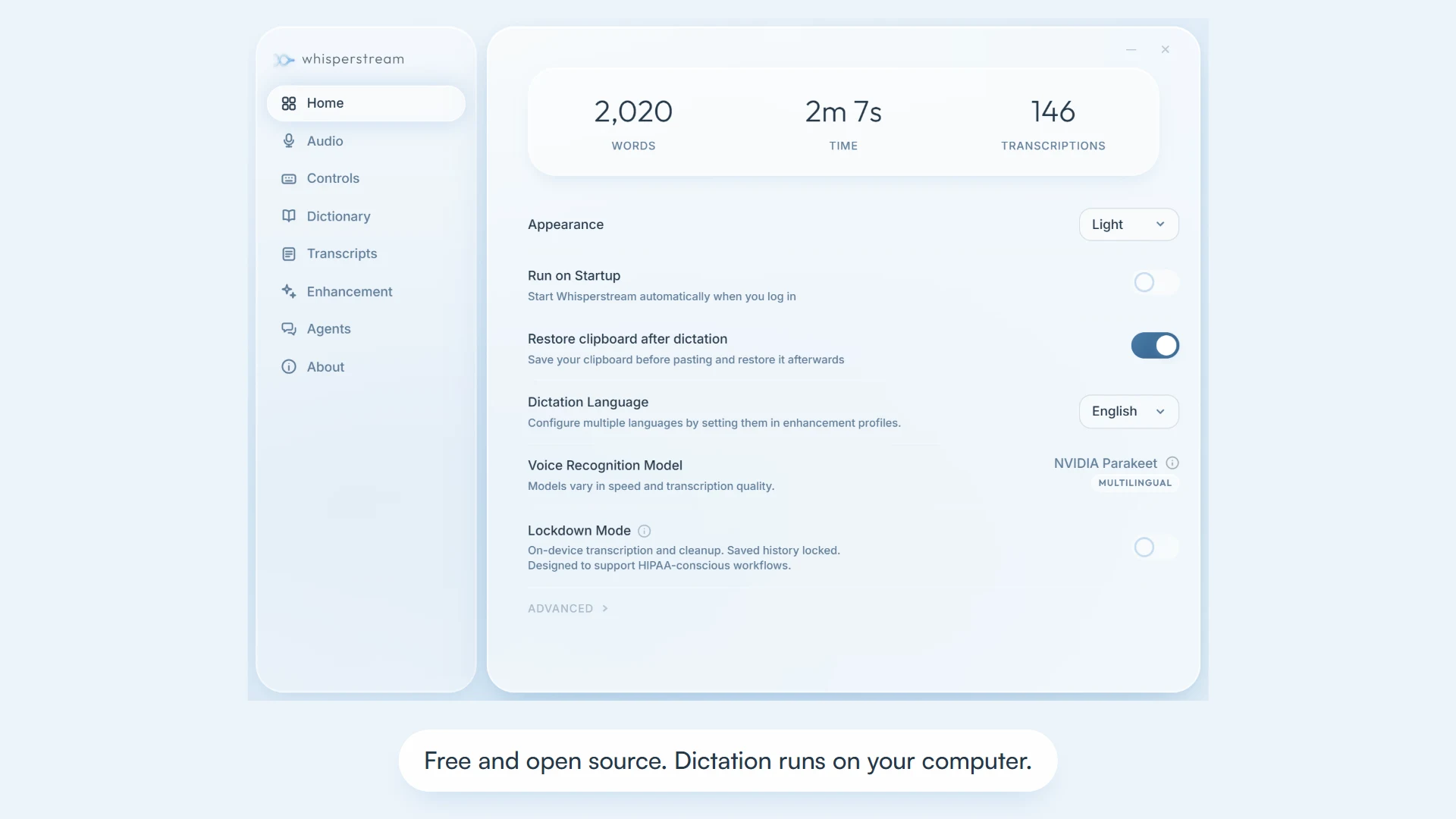
Open source dictation software that runs locally does the whole job on your own machine, and you can read the code to check. Whisperstream is a free, open-source dictation app for Windows and Apple Silicon Macs (the Mac version is in beta). You hold a hotkey, speak, and the text appears in whatever app you're using. Speech recognition runs on your computer with open-weight models, and an optional local model tidies up what you said.
What "open source" and "local" mean for dictation
These are two separate properties, and it's worth checking both:
- Open source means the code is public. Whisperstream's source is on GitHub, licensed under GPL-3.0.
- Local means speech recognition runs on your device. In Whisperstream, your microphone captures audio, a speech model on your computer turns it into text, and the text is typed into your active window. Transcription makes no network calls, so your audio never reaches a server.
An open-source app can still send audio to the cloud, and a closed app can run locally, so look for both if privacy is the reason you're switching.
What to check before you choose
| What to check | Why it matters | Whisperstream |
|---|---|---|
| Where recognition runs | Decides whether your audio leaves the machine | On your computer; no cloud transcription path |
| Which models | Sets accuracy and language coverage | NVIDIA Parakeet, Qwen3 ASR or Cohere Transcribe |
| Offline use | Flights, trains, locked-down networks | Works offline after a one-time model download |
| Hardware | Some local models need a GPU | Runs on CPU; no graphics card needed |
| Platforms | Windows 10/11 (64-bit); Apple Silicon Macs on macOS 14+ (beta) | |
| Cleanup | Raw transcripts include "um" and false starts | Optional on-device cleanup with Stream-1 Mini |
| Licence and cost | GPL-3.0; free, with no account and no device limit |
The local speech-to-text models
Whisperstream picks a model based on the language you dictate in:
- NVIDIA Parakeet, the model Whisperstream is built on, covers 25 languages.
- Qwen3 ASR adds 14 more, including Cantonese, Indonesian, Malay, Persian, Thai, Turkish and Vietnamese.
- Cohere Transcribe is the option when accuracy matters most.
Together they cover 39 languages. The models download once, then run on your CPU; a modern Windows processor or any Apple Silicon Mac gives near-instant results.
Cleanup without the cloud
Raw dictation reads like speech. Whisperstream's optional AI cleanup removes filler words, fixes punctuation and applies your spoken corrections. Its own example is "hey um can you help me with the the report by Friday, sorry Saturday", which becomes "Hey, can you help me with the report by Saturday?"
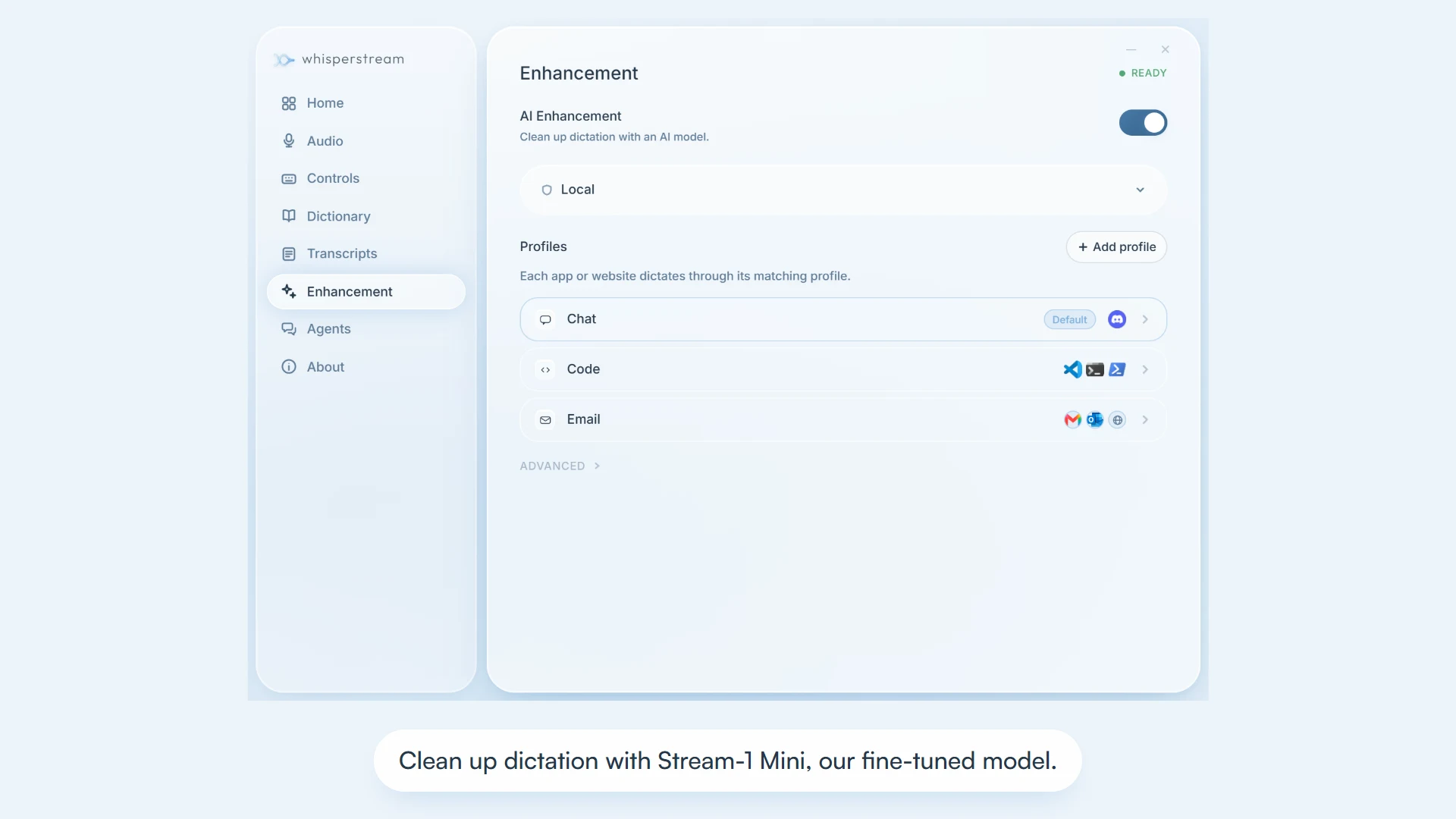
- Stream-1 Mini, Whisperstream's own fine-tuned model, handles English chat and email dictation on your computer. Whisperstream recommends at least 4 GB of memory for it, and 8 GB for the Customizable local model.
- Per-app profiles switch automatically: terse for your terminal, polished for email, casual for chat. Each profile is a prompt you can rewrite.
- A custom dictionary boosts names and jargon so they're spelled right, replaces words (say "next js", get "Next.js") and filters words you never want typed. You can import a list from CSV.
- Other providers, such as Ollama or a cloud provider you configure, are optional. Cleanup is off by default.
Using it day to day
- Push to talk. Hold the hotkey (Right Shift by default, remappable), speak and release, so nothing listens in the background. Toggle mode is there for hands-free use.
- Works across apps. Text goes into the focused field in Outlook, Word, Slack, VS Code, browsers and terminals, with no add-in.
- Transcript history. Search past dictations and replay the audio. History is encrypted on your device, and you can turn it off.
- Audio files. Drop in a recording and transcribe it locally.
- Coding agents. Agent Speak reads out Claude Code and Codex replies with an on-device voice, and you answer by dictating. Whisperstream's guide to dictating in Claude Code covers it.
- Lockdown Mode. For sensitive work, it turns off cloud cleanup, suspends Agent Speak and can lock history behind a password. IT can enforce it on managed Windows devices. The privacy guide has the detail.
Limits worth knowing
- Mac is in beta, and it needs Apple silicon on macOS 14 or later.
- Some internet is still needed for the first model download, update checks and any optional cloud or Agent Speak features.
- Stream-1 Mini cleanup is English-only (chat and email). Transcription itself covers all 39 languages.
- Some environments block text input. Security policies, admin restrictions and remote sessions can limit pasting or simulated keystrokes; Whisperstream has a guide for Citrix and RDP.
FAQ
Is there free, open-source dictation software for Windows? Yes. Whisperstream is free and open source under GPL-3.0, with no trial, subscription or account. It runs on Windows 10 and 11 (64-bit).
Does local speech-to-text need a GPU? Not with Whisperstream. Transcription runs on your CPU; a GPU is only used for the optional AI cleanup.
Can it work offline? Yes, once the models are downloaded. Dictation and local cleanup then work without a connection.
Which languages are supported? 39, including English, Spanish, French, German, Chinese, Japanese, Korean, Arabic and Hindi.
Is there a Mac version? Yes, for Apple Silicon Macs on macOS 14 or later. It's currently in beta.
Try it
Download Whisperstream free or read the source on GitHub. You can also view the Whisperstream listing on ShipBoost, or browse more open-source and transcription tools.